One sale, start to finish: what the office does before, what the clerks do on the day, and what happens afterwards.
Create the sale, then add vendors, bidders and lots. Set each vendor’s commission, the sale’s buyer’s premium and which lots carry GST. Override any of them on a single lot.
Print an A4 run sheet of every lot, with blank Qty, Price and Bidder columns, for the clerk or auctioneer who likes paper.
Each phone or tablet connects to the sale by scanning a QR code in the back office. The sale and its lots download to the device.
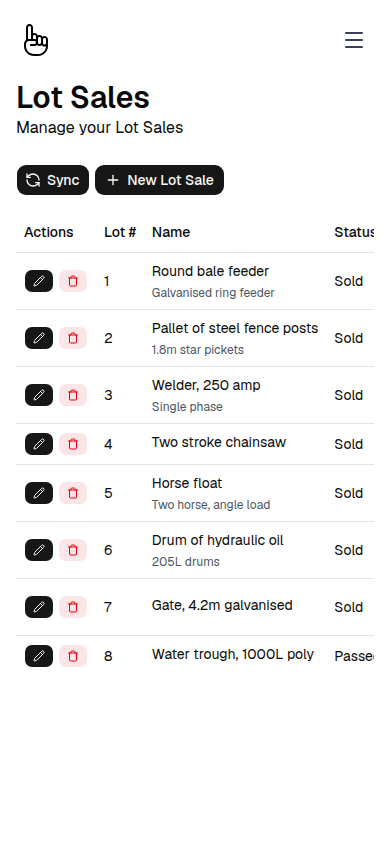
Clerks record each lot as Sold, Sold With, Passed In or No Bids, with the price and bidder number. It saves on the device straight away, signal or not.
Press Sync when the device can reach the SoldTo server. Sales go up and the latest lots and bidders come down. Any conflict waits for office staff to resolve.
Generate a Tax Invoice for each bidder, or for everyone at once. Review it, then print it or email it as a PDF.
Record what each bidder pays by cash, cheque, credit or debit, or Eftpos. Part payments and a card surcharge are handled on the invoice, and the amount owing updates as you go.
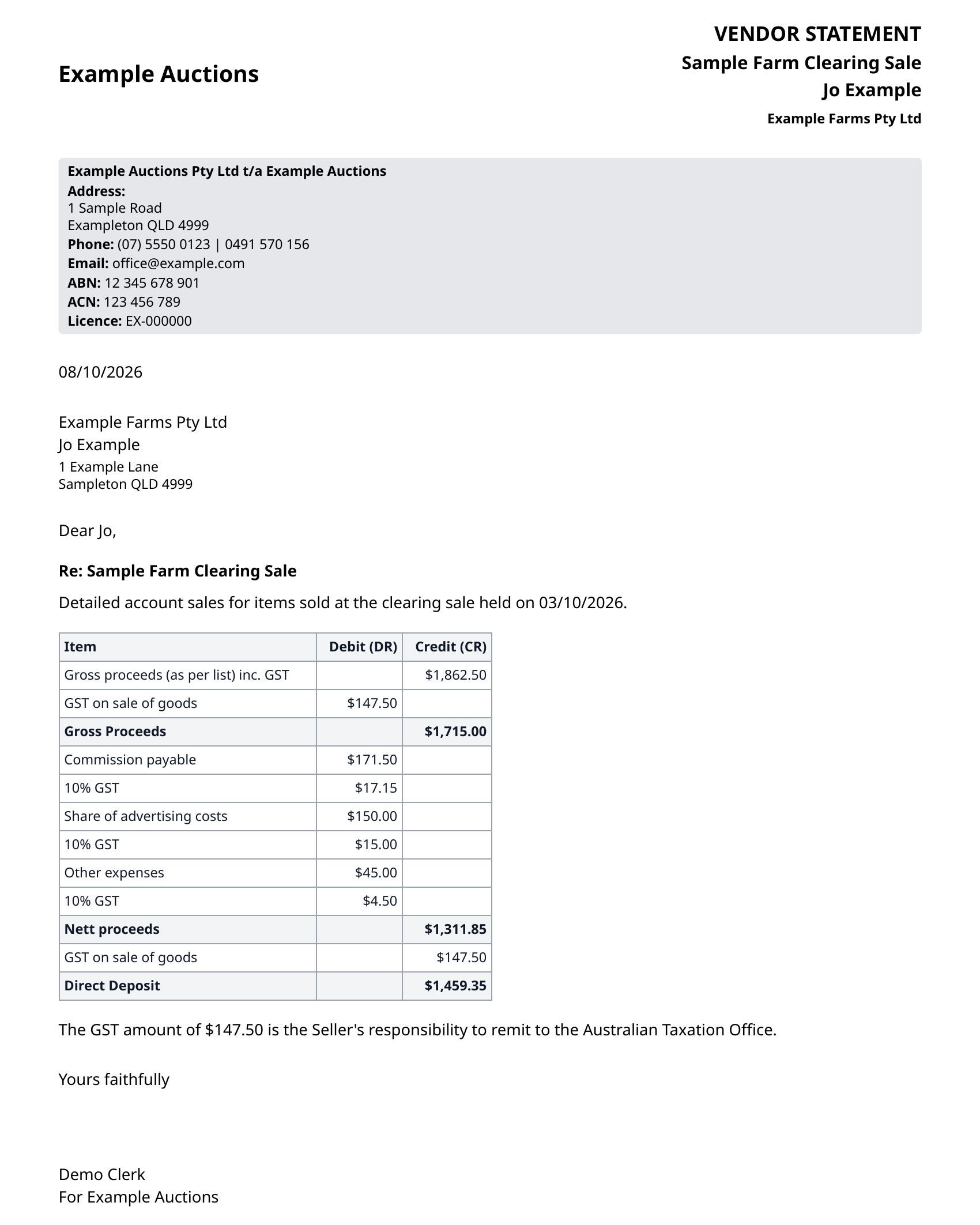
Produce a vendor statement for each vendor with gross proceeds, commission, expenses and nett proceeds.
Run reports on lot sales, payments by method and who still owes, and see the sale dashboard.
Tell us how you run a sale today. We will show how each step above would work for you.