Sale venues are often short on signal. SoldTo keeps the sale running and leaves the online jobs for the office.
What keeps working
The SoldTo server sits on your own network. The back office, invoice and report PDFs, and printing all run on it, so none of them need the internet.
The lots app on a phone or tablet keeps its own database on the device. A clerk can create lots and record Sold, Sold With, Passed In and No Bids with no connection at all.
What waits for the office
Anything that needs the internet waits until you are back in the office.
Emailing invoices
Emailing uses the internet, so send invoices from the office. Each invoice shows its status: Not emailed, Queued, Sent or Failed.
Updates
New versions of SoldTo install over the internet, so updates happen when you are back in the office.
Syncing
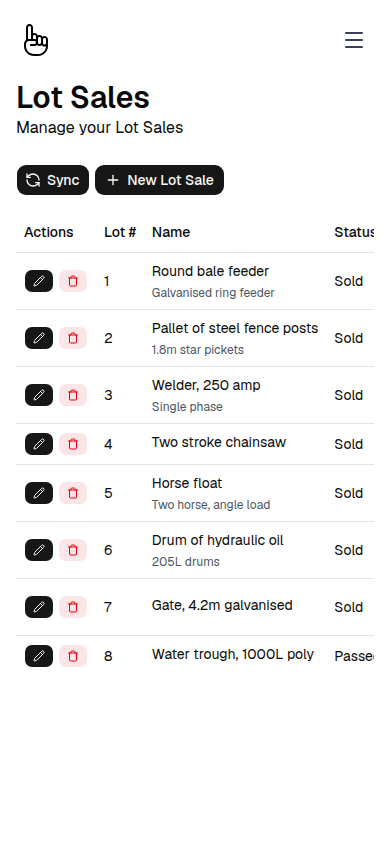
Syncing starts when the clerk presses Sync, so the clerk decides when the day’s records go up. The app sends everything recorded on the device to the SoldTo server, then pulls the latest vendors, lots, lot sales and bidders.
If the device is out of range of the server, the app says so and the records stay safe on the device. Press Sync again when you are back in range.
Every record carries its own unique ID, so records made on different devices can be told apart. Lots go to the server before the sales recorded against them, whatever order they were entered in.
When two devices edit the same lot
Each change travels with the version it started from. If the server’s copy has changed since then, the device’s change waits on a sync conflicts page in the back office instead of overwriting it.
There, office staff choose between the device’s version and the server’s. The server also checks that lot numbers are unique and that a sale does not oversell a lot’s quantity.
Before you head out
- Set up vendors, bidders and the sale in the back office. The lots app pulls them down.
- Connect each device to the sale once, while it can reach the server, so the sale downloads to it.
- Press Sync when you are back in range, so the day’s records reach the server.
Tell us where you run sales and how the signal is. We will explain how the setup would work there.